
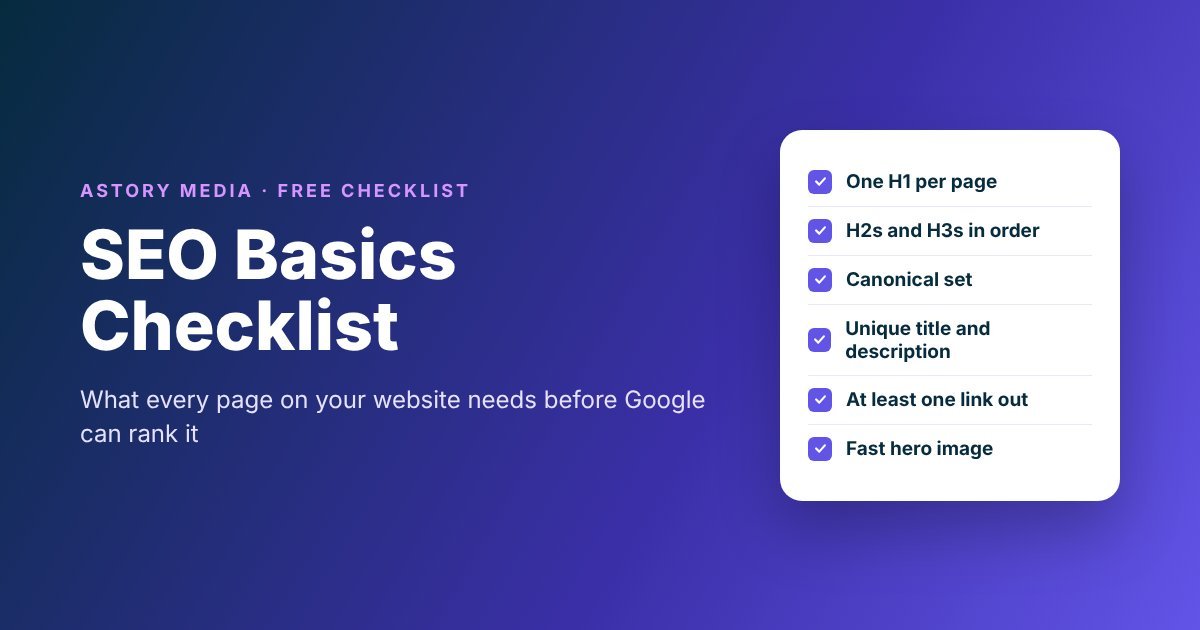
When a business comes to me for SEO, the first thing I look at is the basics. Does every page have a proper H1? Is there a canonical set? Do the headings actually make sense? Is there a link on the page that takes the visitor somewhere else?
I’d say around 80% of the customers who have come to me didn’t have these things done. That includes websites looked after by other SEO agencies, some of them charging crazy money every month. Nobody had checked the simple stuff.
What happened after I fixed it was nearly always the same. Once the H1s, H2s and canonicals were sorted, the pages started ranking and the phone started ringing with new enquiries. Clients would ask me, “Zane, what did you do?” and my answer was always that I just did what should be done for SEO.
So I’ve put the basics into one checklist. It’s what I check on every page we build or audit at Astory Media. Some of it comes from Google’s own SEO Starter Guide, and some of it is what I’ve learned from over 15 years of doing this. Where my rules go further than what Google says, I’ll tell you.
Want this as a checklist you can tick off?
Every point in this guide is in a free PDF you can work through page by page.
Get the free checklistFirst, check that Google can find your website
Google uses automated programs, called crawlers, that move around the web following links and adding pages to its index. Most websites get found without doing anything special. Before you spend time on headings and content though, make sure your site is actually in there, because nothing else on this list matters if Google can’t see it.
Search for your own site
Type site: followed by your domain into Google, for example site:astorymedia.ie. If your pages show up, you’re in the index. If nothing comes up, something is stopping Google, and that has to be fixed first. I wrote more about this in why your website is not showing up on Google.
Set up Google Search Console
Search Console is free, and it’s the only place Google tells you directly how it sees your site. Submit your sitemap there (most WordPress SEO plugins create one for you automatically) and use the URL Inspection tool to check individual pages.
Don’t hide your CSS and JavaScript from Google
When Google looks at a page, it wants to see it the same way a visitor does. If the files that build your design are blocked, Google sees a broken page and may not understand it. URL Inspection will show you what Google actually sees.
Get your headings in the right order
This is where I find the most mistakes. Headings work like the table of contents of a page. They tell the reader, and Google, what the page is about and how it’s broken up. On a lot of sites they’re used just to make text bigger, which makes the whole structure meaningless.
One H1 on every page, no more and no less
The H1 is the most important heading on the page. It should say clearly what the page is about. The two problems I see all the time are pages with no H1 at all (the logo or a slider ends up taking its place) and pages with five or six H1s because the theme styles them nicely.
To be fair, Google has said that more than one H1 won’t break anything. I still use one H1 on every page, because it forces you to decide what the page is actually about. When every page is clear about its one topic, Google doesn’t have to guess.
H2s describe your services or main sections
Under the H1, each H2 is a main section. On a service page, that’s usually each service you offer. On an article like this one, it’s each main step.
H3s describe a specific service or detail
H3s sit under an H2 and go into the detail. So the hierarchy looks something like this:
Google says it doesn’t rank you on whether headings are in perfect order. People using screen readers depend on that order though, and so does anyone skimming your page on their phone. A clear structure helps everyone, and it takes five minutes to get right.
Set a canonical on every page
Duplicate content is when the same content can be reached at more than one URL. It happens more than people think: with and without www, with and without a slash at the end, with tracking codes added from an email or an ad, or a product listed in two categories.
When that happens, Google picks one version to show. A canonical tag is how you tell Google which version you want. Every page should have one, pointing to its own preferred URL.
If you have two pages saying the same thing, the better fix is to merge them and set up a 301 redirect from the one you don’t want to the one you do. Use the canonical when a redirect isn’t possible. Google is clear that duplicate content isn’t a penalty, but you’re splitting your own signals across two pages and confusing visitors who don’t know which page is the right one.
Write a page title and meta description for every page
The page title is the clickable headline people see in Google. It should be unique to that page, clear, and describe what the page offers. Adding your business name and your location often makes sense for a local business.
The meta description is the short summary underneath. Keep it to one or two sentences, make it unique, and write it so someone would actually want to click. Google sometimes swaps it for text from the page itself, which is another reason the page content needs to be good.
Keep your URLs short and readable
A URL like astorymedia.ie/seo-basics-checklist/ tells a person what they’re about to open. A URL full of random numbers and letters tells them nothing. Google says keywords in the URL have very little effect on rankings, so do it for the people reading it, not for Google.
If you have a bigger site, group similar pages into folders, like all your blog posts under /blog/. And if you change an existing URL, always redirect the old one, or you lose whatever that page had built up.
Write for people, and use AI as a helper
I think this one matters more every month. We’ve all read so many AI responses over the last couple of years that people recognise AI writing straight away. People like to read stories and helpful articles. They don’t want essays full of clichés. If you publish plain AI content without editing it, nobody is going to read it, and it won’t do well.
I’m not against AI. It’s good for building the structure of a page. But then you need to add your own experience, write it in your own style, and check it again before it goes live. Google wants content that is helpful, original, easy to read, free of spelling mistakes and kept up to date, and that comes from the person who actually knows the subject.
I tested automated blog tools on our own blog before I would recommend anything to a client. One of them added backlinks into my posts that I never asked for and loaded the images from someone else’s server. If I hadn’t been checking every post, I wouldn’t have known. Whatever tool you use, you’re responsible for what it publishes on your website.
Make sure every page has at least one link to somewhere else
Every page should have at least one link that goes somewhere other than that page. You don’t want a page where people read to the end and have nothing else to do. Before you publish, ask yourself what you want the person to do next. Submit an enquiry, download something, contact you, or read about your services. There are lots of ways to do it, and only your creativity is stopping you.
Internal links to your own pages
Internal links connect your services, blog posts and contact page together. They help visitors find what they need, and they help Google find and understand your other pages. Most new pages Google discovers are found through links.
External links to sources you trust
Linking out to a trusted source, like this guide does to Google’s own documentation, shows where your information comes from. Only link to sites you trust. If you’re not sure about a site, add a nofollow attribute to the link. And if people can post comments on your site, make sure their links are nofollow automatically, so spammers don’t use your site for their own links.
Write link text that says where the link goes
The words you click on should tell people, and Google, what’s on the other side. “Our local SEO services” is far more useful than “click here”.
Make your images and videos load fast
Use sharp, clear images and place them near the text they relate to. Give every image descriptive alt text. On our client sites, every image title and alt text says the business name, what’s happening in the picture and where, written as a normal sentence and not a list of keywords.
Most websites I look at these days don’t have big speed problems. When they do, it’s nearly always the hero section at the top of the page. Someone has added a huge image or a full video that has to load every time the page opens, and the whole site slows down.
I understand you want a beautiful image or a video up there, but you need to find a way to keep it small:
- Compress the hero image before you upload it.
- Keep a background video to a 10 or 15 second loop.
- Lower the video quality a little. On a background, nobody notices.
- Connect a CDN if you have bigger files, so they load from a server close to your visitor.
Build links slowly and honestly
Links from other websites still matter, but how you get them matters more. Years ago I went on Fiverr and Upwork, where people were offering cheap ranking services: 1,000, 2,500 or even 5,000 backlinks for maybe €100 or €150. I did it, and it was damaging. The links were coming from link farms, and when I checked them in Ahrefs, 99% of them were toxic.
Toxic backlinks are low-quality links from spammy sites. When too many of them point at your website, your authority goes down and your site stops showing up anywhere, in Google or in AI search. You sink your website like the Titanic.
These days I build links the slow way, by meeting people, writing about them and getting mentioned on their websites. I told the full story in how I build backlinks without buying them.
Connect your website and your Google Business Profile
For a local business, your Google Business Profile is often the first thing people see. Make sure it links to the right page on your website, and that your business name, address and phone number match on both. My guide on how to use Google Business Profile to get found goes through it step by step.
What you don’t need to worry about
There’s a lot of old SEO advice still going around. Google is clear on a few things that don’t help:
- The meta keywords tag. Google doesn’t use it.
- A magic word count. There’s no minimum or maximum. Write what the topic needs.
- Keywords in your domain name. They have hardly any effect. Pick a name that’s good for your business.
- Repeating keywords over and over. It’s tiring to read and it’s against Google’s spam policies.
Also remember that SEO takes time. Some changes show up in a few days, others take months. Give it a few weeks before you judge whether something worked.
Download the SEO basics checklist
The SEO Basics Checklist (free PDF)
Everything above, turned into a checklist you can go through for every page on your website: headings, canonicals, titles, links, images, speed and backlinks. Put in your first name and email, then click the confirm link we email you, and the checklist opens straight away.
If you’d rather have someone go through all this for you, that’s what we do at Astory Media. Have a look at our SEO services or our technical SEO work. If you need any help with this, we can help you.
